
This section covers the case information that is displayed on the Details tab, on the right of the case fields.
You can't edit the right-hand information on the Details tab itself.
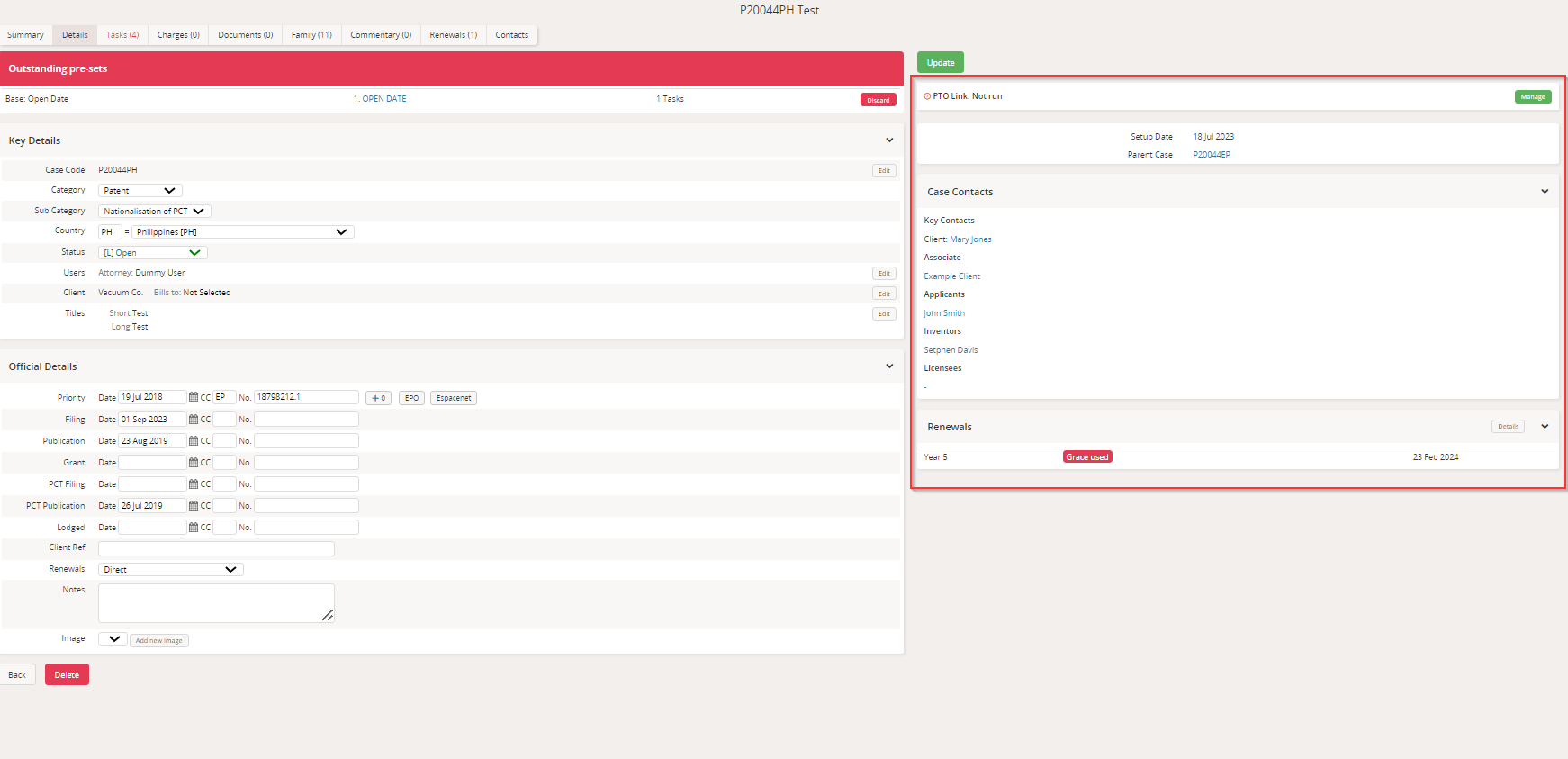
Please see the table below for more information about what details can be displayed here:
Information | Heading | Description |
Setup Date |
| This is the date that the case was created within Equinox. |
Contact Notes | Client Note | Stored in Address Book > Organisation > Notes |
Billing Address Note | Stored in Address Book > Organisation > Location > Extra Care Notes | |
Case Contacts | Key Contacts | Client/Associate/Other Side Name |
Additional Clients | Name + Ref | |
Associate | Name + Ref | |
Applicant Name | Name. (i) indicates that there are Notes recorded. | |
Inventor | ||
Other Side Client | ||
Case Image |
| This is the image uploaded in the Image field. The image will be saved in the Documents tab as well. You can only upload one image on the Details screen. Any other images will need to be uploaded on the Documents tab. |
Parent/Child Case Codes |
| This displays a list of any case codes related to the case you are viewing, outlining the relationship between the cases. The codes are also links that enable you to view the details of these related cases. |
Hidden Date Warning | Date fields containing data not in layout | This will display a warning if populated date fields are not part of the case layout. This is a preference that needs to be enabled by our support team. Please get in touch to have this preference enabled. |
| Renewals | This column displays the renewal year, any upcoming renewals date and the status of the renewal. |